

As you may or may not have known, “World Password Day” has just passed and by now, most people should already know the basics of password security, i.e. do not write them down, use a password manager, opt for two-factor authentication whenever possible, and do not use anything easily guessable. Having strong passwords is one of the first and most obvious steps to good data protection.
The advice above still holds true but P2D Solutions now feels it is time to step it up a notch. To save you the time and effort, P2D Solutions has compiled the following list of sound advice and best practices.
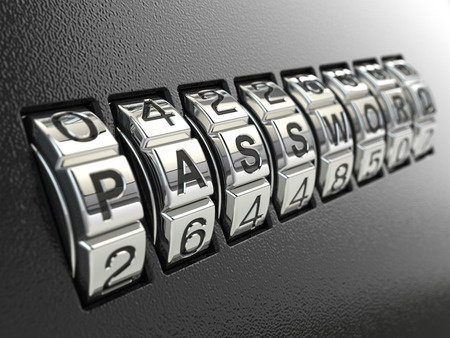
1. Sometimes Length Does Matter
Longer passwords are usually better than more random/complex passwords, as long as the password is at least 12-15 characters long.
Long passwords that comprise only lower-case letters can be more beneficial than crafting the right combination of alphanumeric gibberish. In other words, don’t waste time making your password look like a cartoon cursing. Time would be better served by toward typing two more (easier to remember) plain old letters.
2. Explore the Unpredictable and Weird
However, longer is not always better unless you are mixing up the characters, i.e. single character passwords or passwords made up of a string of a single character are a definite no-no.
In fact, common sports and pop culture terms and phrases should also be avoided. Essentially, the more common a password is, the less secure it will be. Go with something no one else would.
Ideally, your most secure password would just be a random string of characters (which you can remember).
3. Spread Out Your Special Characters
As many password input fields now require a combination of upper case and lower case letters, numbers, and symbols, remember to keep the special characters separated for maximum security.
Many people tend to put capital letters at the beginning and digits and symbols at the end. Very little benefit is gained from adding the special characters if this were the case.
Avoiding front or backloading passwords with special characters also gives one a lot more “real estate” to work with, which makes it tougher for anyone hack your password.
4. Don’t Change Them So Often
Do not change your passwords every month and if you are an IT admin, do not force your employees to. Frequent password changes are largely a waste of time; moreover, there is no evidence to suggest that frequent password changes improve the level of data protection.
Passwords are meant to be hard. It is almost always better to go through the trouble of making one good password and sticking with it. This also encourages users to have stronger passwords and avoids people relying on lazy ideas like incrementing a number at the end of the password each time they have to reset it.
5. Do Not Recycle And Reuse Passwords
Passwords are not like our trash, do not recycle and reuse them.
Even once you have followed every password recommendation and have come up with an awesome password; it is not time to relax. Many people make the mistake of using the same password on a couple of accounts mainly because the password took so long to memorize.
This is bad! Using the same password on multiple accounts makes easy for a hacker to attack one site and get your password to all the others. Using unique passwords on different accounts limits your potential fallout if one is your accounts are compromised.
If even the thought of trying to memorize a unique password for every site gives a migraine, you might just want to use a password manager.
6. Layer Up
Although when properly deployed, passwords are a pretty useful tool for data protection; they are even better, when used as part of an overall data protection plan. This is doubly important for companies and corporations who hold and process personal information.
For companies and corporations, adding a layer of more robust authentication, like cryptographic credentials, 2FA authentication or even a biometric identifier (i.e. fingerprint scanner) makes for an even more secure account.
There might even be ancillary benefits from adding an extra layer of protection, possibly such as a less strict password policy (i.e. less characters or requiring password changes less frequently)
If you have any queries or require more information, please contact P2D Solutions by clicking on the button below. We look forward to hearing from you.
TALK TO US TODAY
For more information on how we can help your company comply with the PDPA easily and cost-effectively, contact us for a FREE consultation.